

Physician Worklist
A worklist that allows a physician to review, finalize, and cosign patient documents
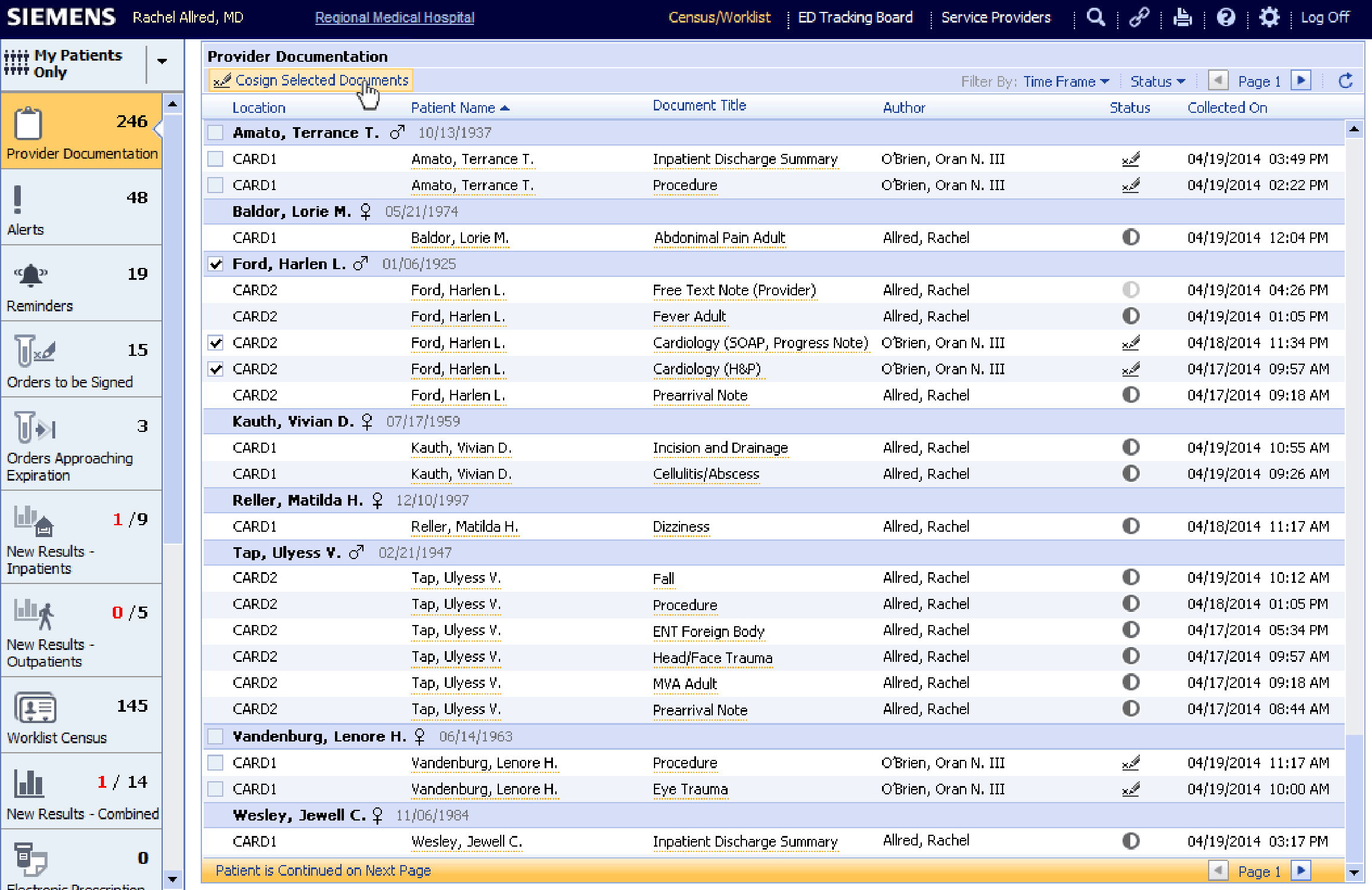
Countless new patient records are created daily in our online medical systems, and physicians needed the ability to easily and securely review, edit, and disseminate their documentation to ensure proper patient care and accurate billing.
DETAILS
Company
Siemens Healthcare (later acquired by Cerner Corporation)
Requirements
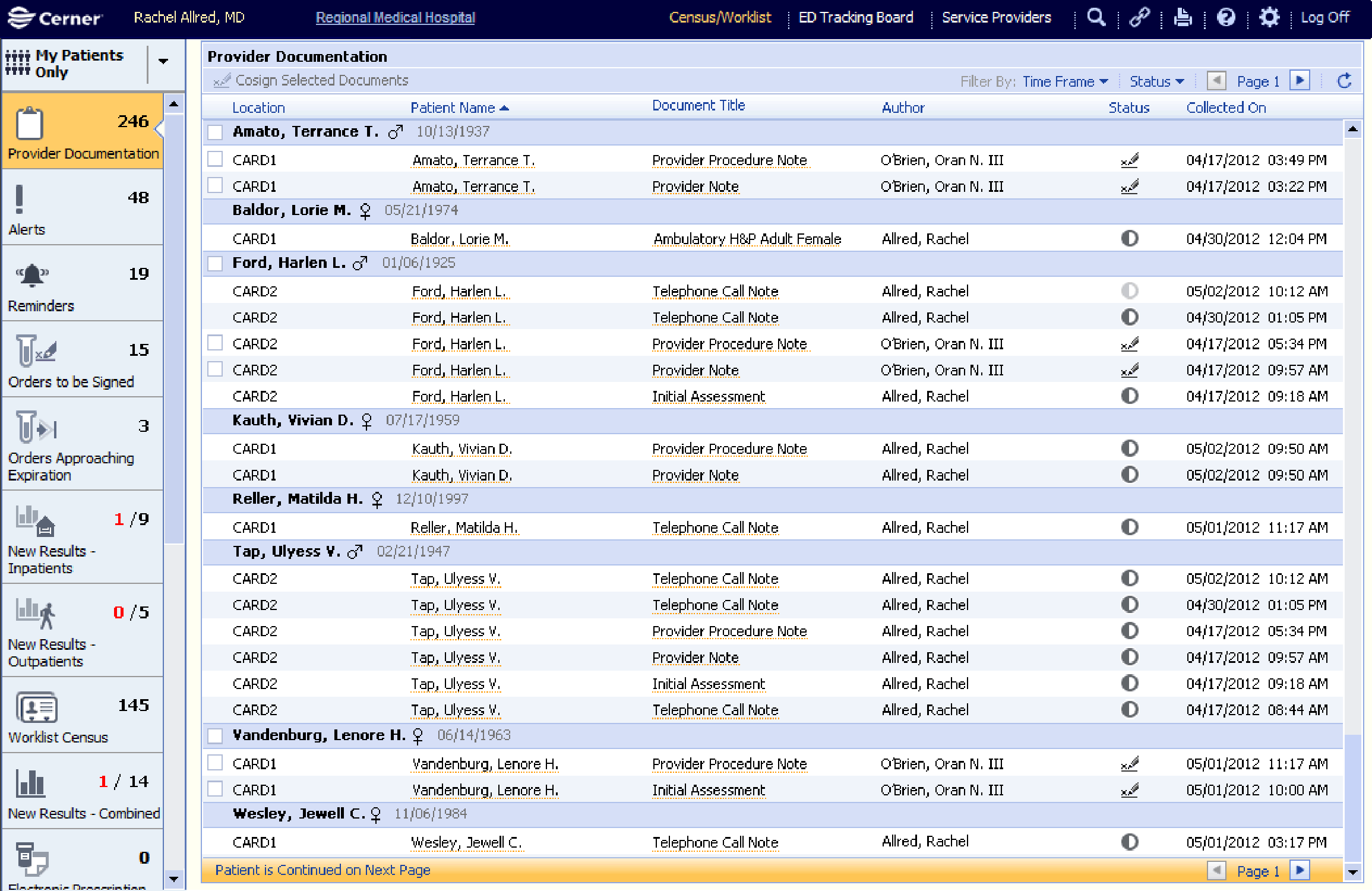
- Review a full list of incomplete documentation needing physician action
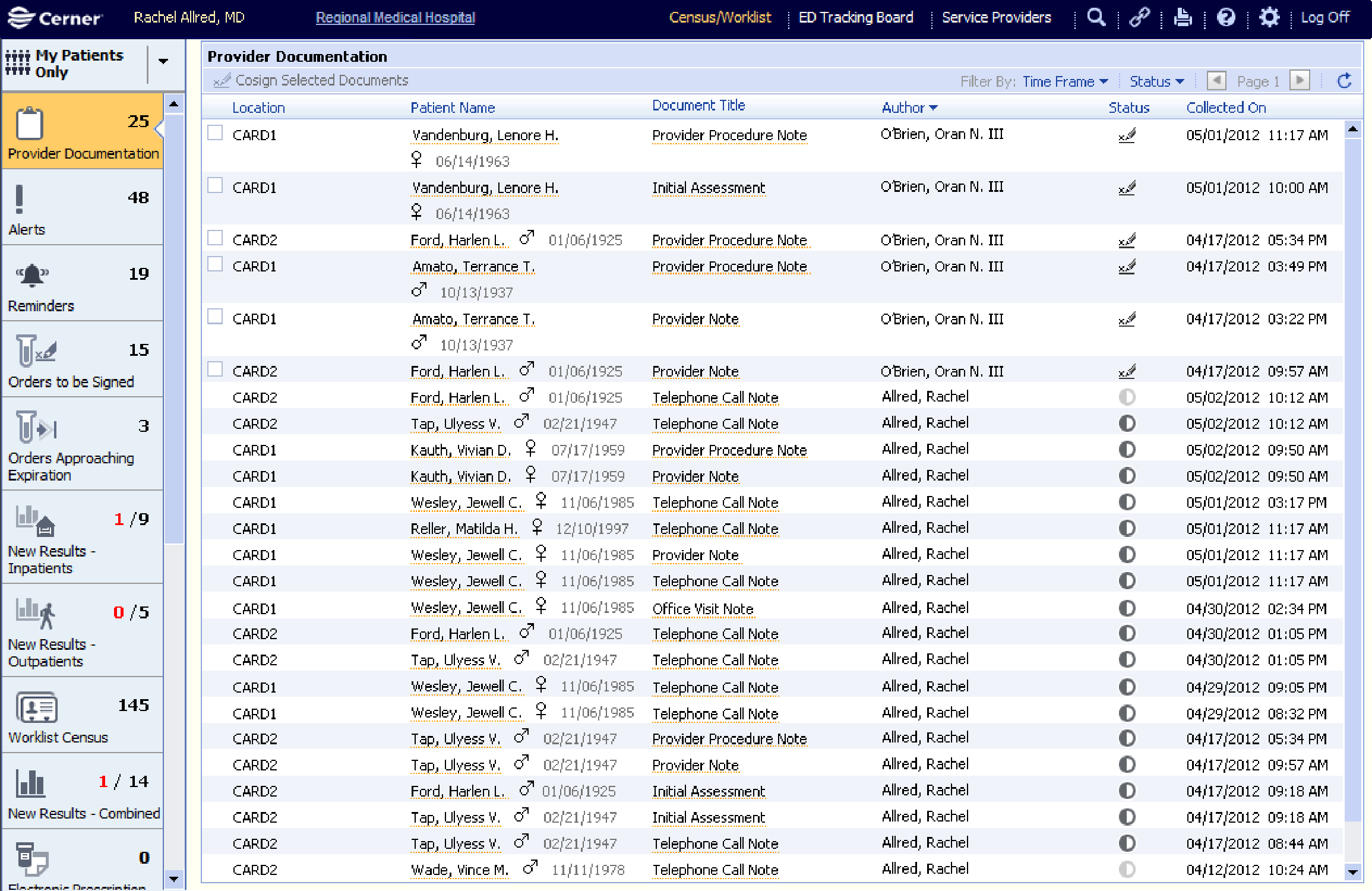
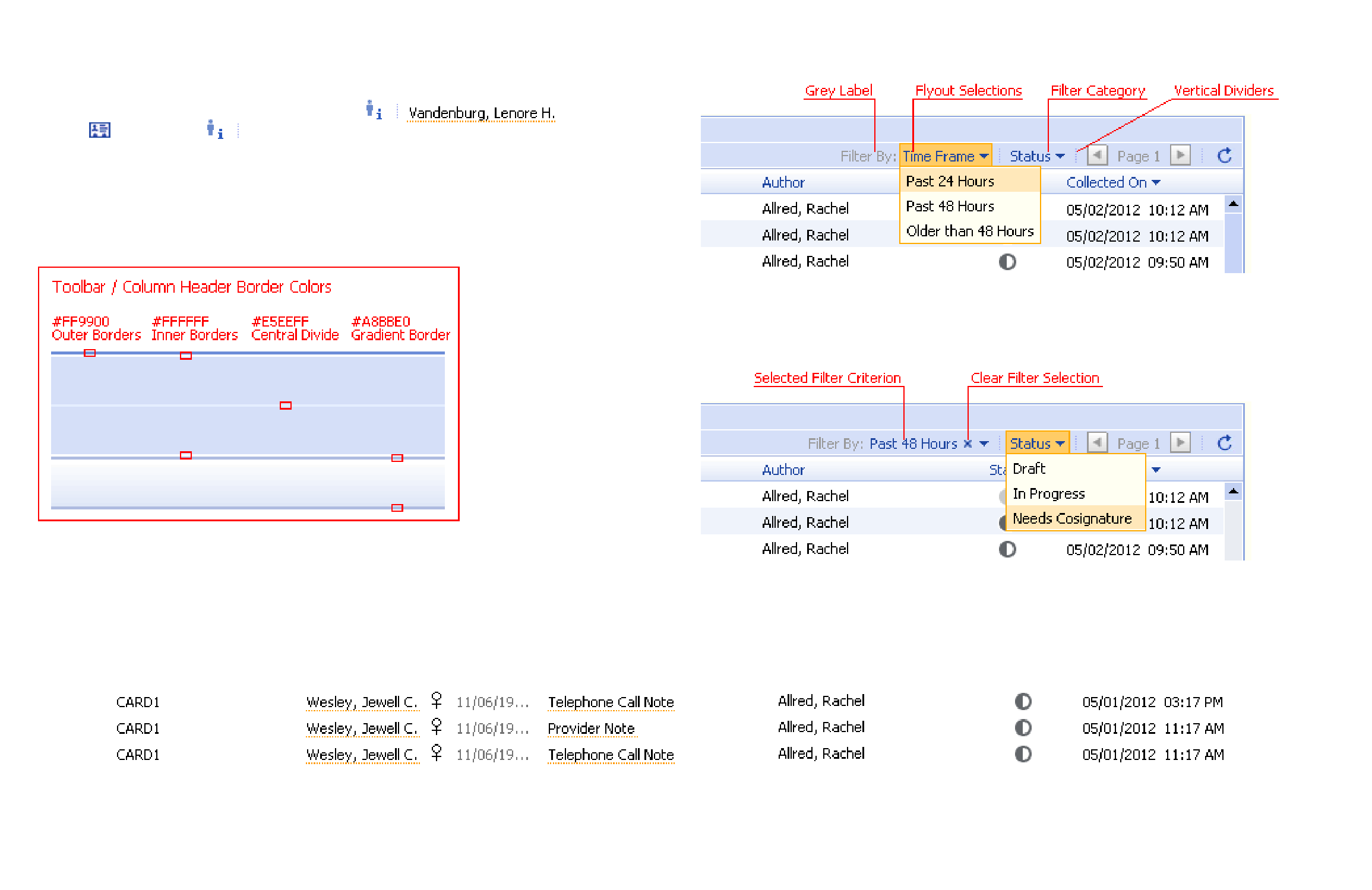
- Sort and filter by various criteria to find desired documents or patients
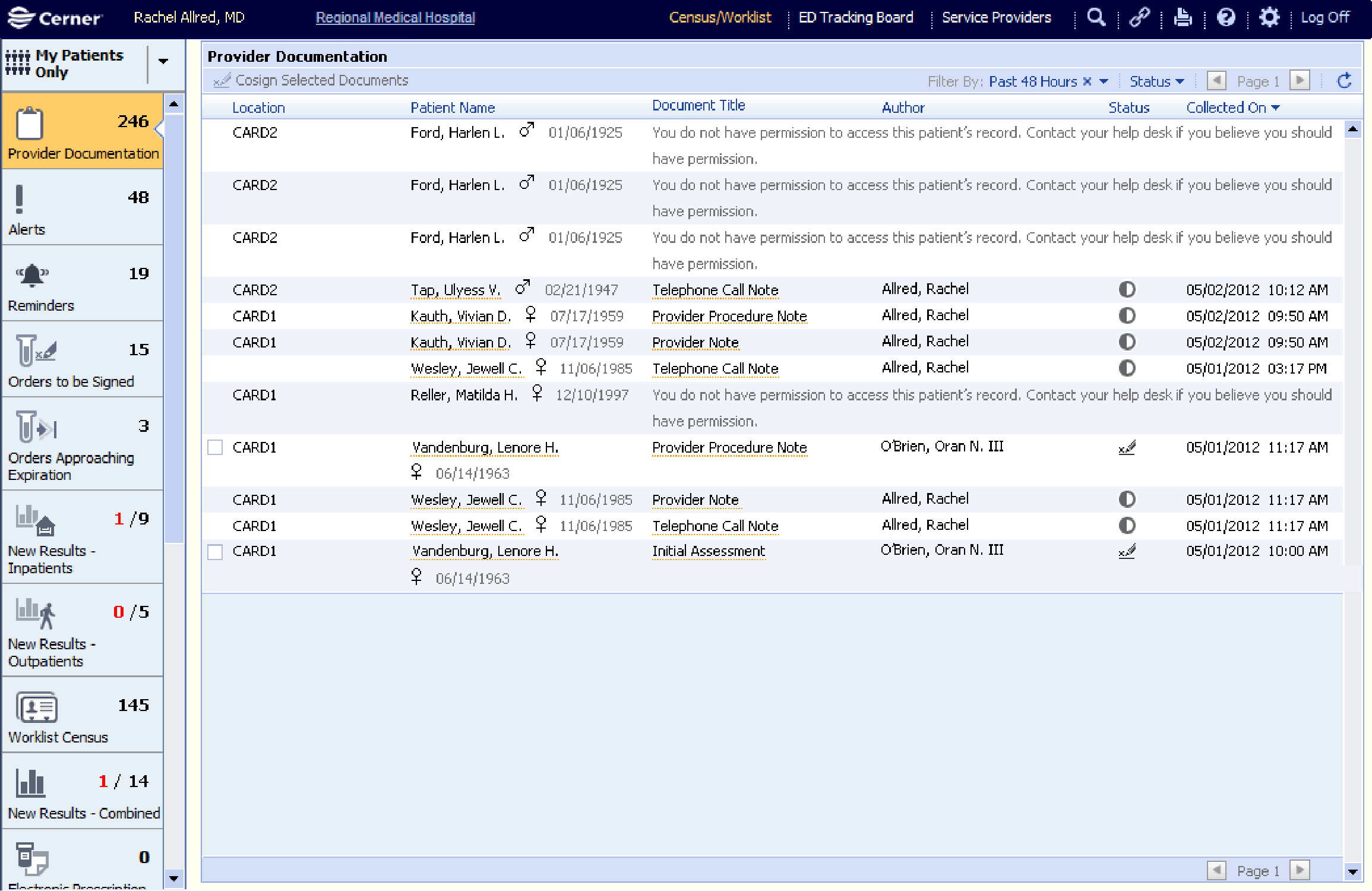
- Protect patient privacy by only allowing access to those authorized
- Give documents a status to signal progress to the patient's care team
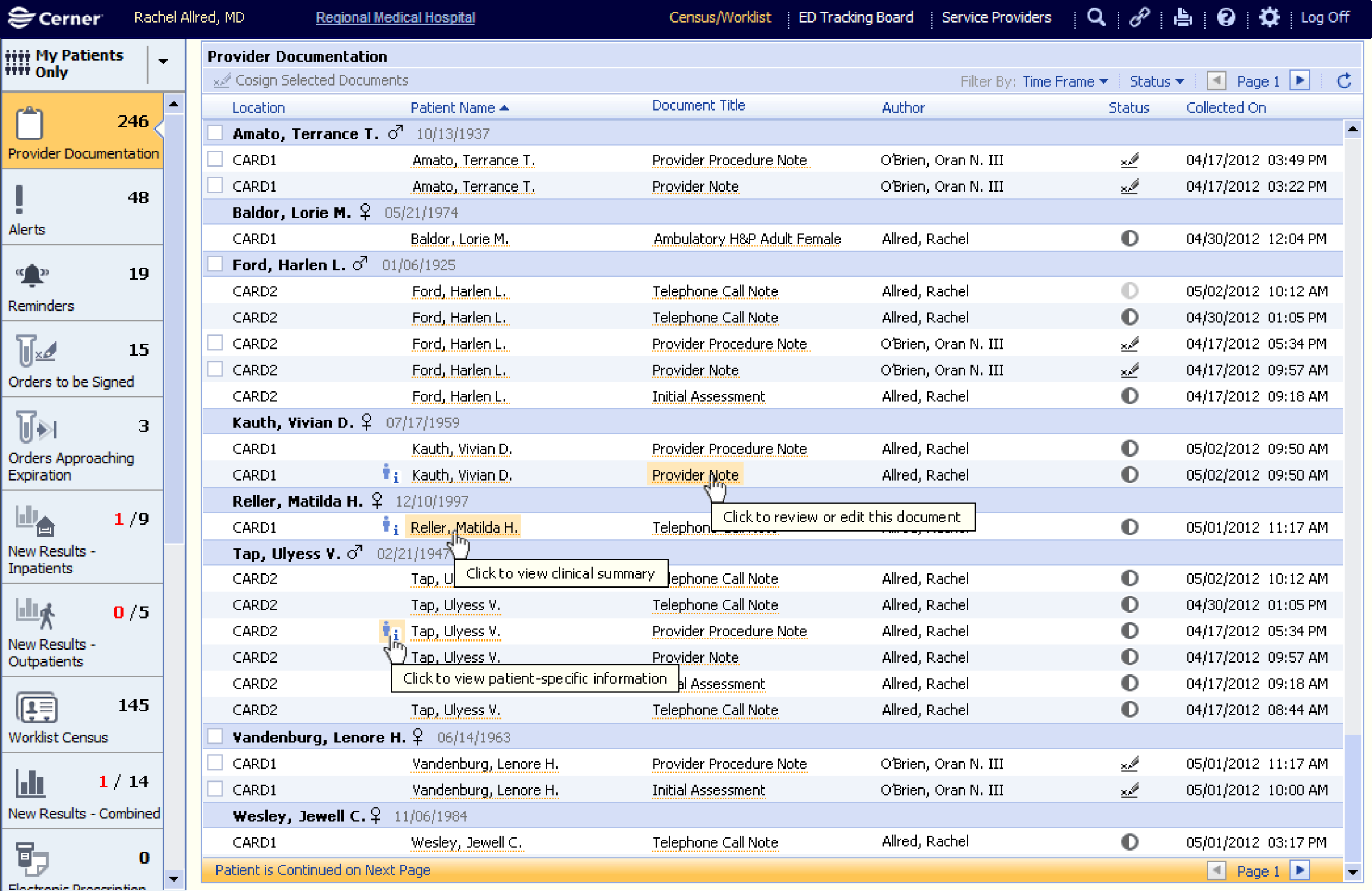
- Consistently and constantly display patient information to help avoid mistakes
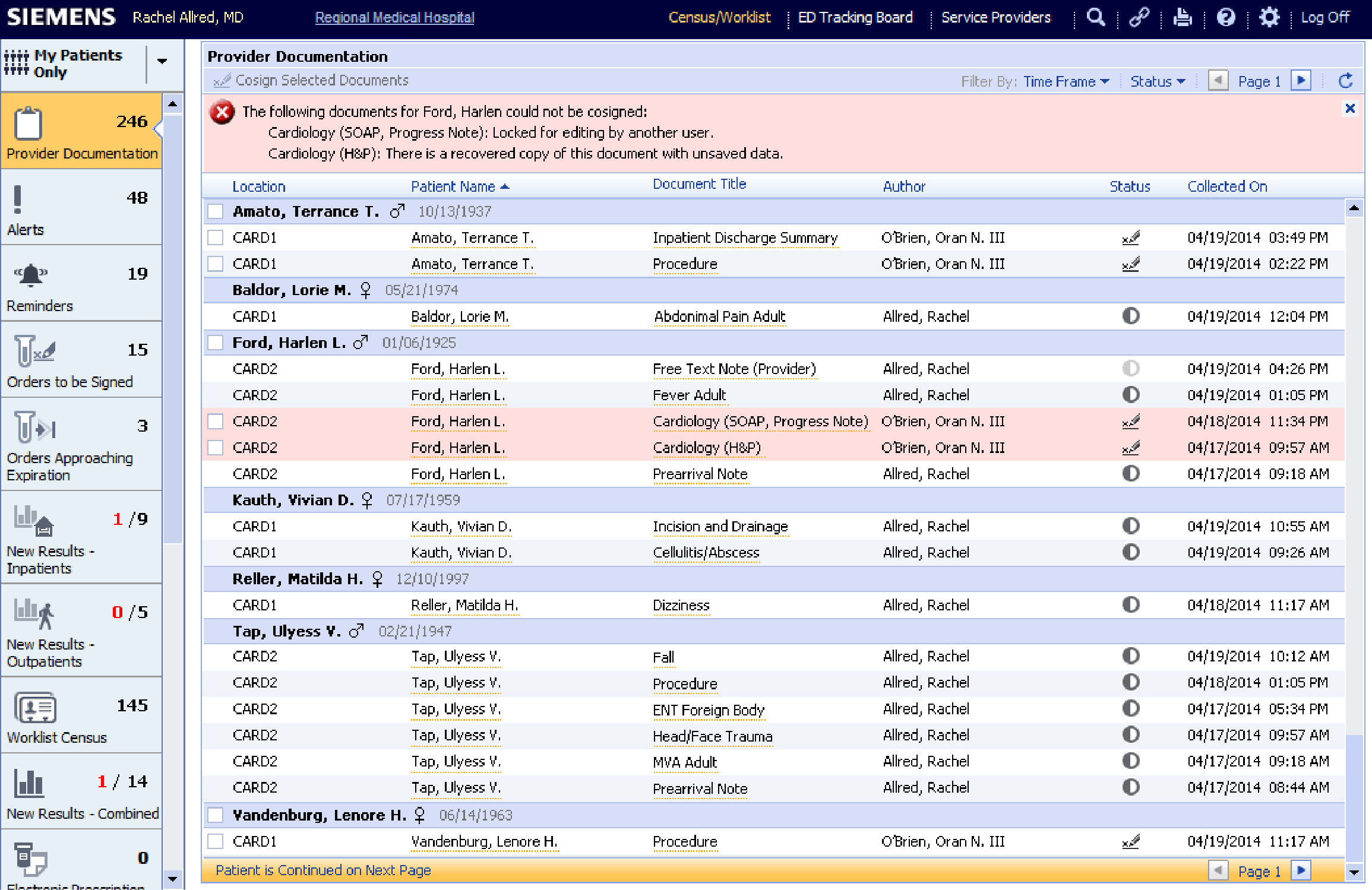
- Review and give feedback on documentation from physicians in training
My Involvement
- Role : Sole designer
- Project Length : 6 months
Scale : A new feature in a browser-based electronic medical record application
Story
In the early 2010s, patient medical records were still in the process of moving to online documentation systems, a process accelerated by the Affordable Care Act's provisions on stricter medical documentation and billing practices. While I was in college, I had worked in the records department for a multi-specialty medical clinic and had spent my evenings printing, sorting, organizing, hunting, retrieving, repairing, and eventually digitally scanning doctors' and nurses' notes. I knew how easily vital documents could become lost or forgotten, and it was exciting to translate the messy process I had known into a tidy worklist in a browser application.
The physician worklist allowed doctors to save documentation in several statuses (draft, in progress, complete, needs cosignature, and cosigned), each of which needed careful permissions control for both legal liability and patient care reasons. To deliver the right experience, there would be several technical challenges since this would be the first table of its kind in the medical record system, with responsive column widths, 2-tiered information sorting, mixing of many patients' information, and multi-row selection actions and their validation messages.
After the business case had been established, the design began with researching our target users: talking with the company's in-house physicians, setting up customer calls to gather expectations and legal considerations, visiting local partner hospitals to directly observe physicians' documentation processes, and reading through end-user requests that had been submitted over the previous several years.
After the input was consolidated, personas were defined for physicians, cosigning physicians, residents, and medical scribes, each of whom would need slightly different workflows. I drew flow diagrams to define each user type's process through the document statuses and what options would be available at each level before moving on to rough wireframes, which would be used in customer validation calls to gain buy-in before development began.
With each workflow drawn and passing users' scrutiny, development began. I worked closely with one of the team's senior developers to reason through every question about expected behavior, and I reviewed the feature thoroughly in a quality-assurance system as soon as it was ready for our testing team. The system's granular user permissions for each role type took many iterations to work properly, but the new screen released on time with good performance and a rich set of features.
